


A manufacturing company used the same ERP application for over 15 years. The system worked well. Problems started when the business expanded across multiple locations. Even a small change in one location required update in all other remote locations and their sub-locations. This turned out to be extremely complicated. Performance slowed at peak times. It became increasingly difficult to integrate with newer applications.
Ever heard of or experienced such situations? Many companies still use applications built on VB.NET, PowerBuilder, etc. As these systems include valuable business logic, they are usually not scalable, secure, or cloud-friendly to match modern requirements.
Legacy application modernization bridges this gap for enterprises. Cloud-native application modernization approaches allow companies to secure their existing investments and enjoy flexibility, scalability, and resilience to enable future growth.
Why Modernizing Legacy Applications a Priority?
As technologies become outdated, maintaining these applications becomes increasingly difficult, expensive, and risky.
Furthermore, applications built on older technologies like VB.NET often struggle with scalability and integration with modern tools. Finding developers who can maintain legacy technologies is even harder.
That’s why legacy application modernization is a business priority. It helps upgrade legacy software, architectures, and frameworks while preserving the core functionality. You need not rebuild applications from scratch. So, what exactly does modernization involve?
Let’s have a look. It involves:
- Moving legacy applications to cloud platforms
- Replacing outdated technologies with modern frameworks
- Making apps scalable and perform well even when there’s huge traffic
- Safeguarding against threats by strengthening security and compliance
- Cutting down maintenance costs
In short, cloud-native application modernization transforms aging applications into scalable, resilient, and future-ready platforms without disrupting core operations.
Signs Your Legacy Application Needs Modernization
Not every old application needs to be replaced right away. But there are a few warning signs that upgrading needs to become a priority.
- Frequent performance problems
Ever encountered issues like a server crash and you couldn’t access an app? This can happen with old single-server-hosted applications when user demand increases. They show slow response, downtime, or even server crashes when traffic increases
2. Difficult to Scale
It’s challenging to scale traditional monolithic apps. Such applications usually have a crowd limit. If too many people access it simultaneously, they crash. This restricts your business growth.
3. High maintenance cost
We know maintaining enterprise applications isn’t easy. With legacy systems, organizations spend huge amounts of time and money maintaining them instead of improving these applications.
4. Outdated Technology:
Many older technologies no longer receive active support from their vendors. Finding developers who are experts in legacy technologies such as Visual Basic or PowerBuilder is equally difficult.
5. Compliance and Security Risks
Legacy systems lack modern authentication techniques like OTPs. They also fail to meet modern safety laws. Hence, they become vulnerable to cyber threats.
6. Slow Transition
Imagine an ERP system deployed in multiple countries. Each location with multiple sub-locations. A simple change may require manual updates in all related environments. This will be highly complicated and risky process. Thus scope of innovation is limited.
7. Poor User Experience
Today, users expect fast, intuitive, responsive browser-based applications. Legacy systems often fail to provide such a great user experience.
The Shift from Monolithic to Cloud-native Architecture
Now let’s see how cloud-native architecture helps fix these problems.
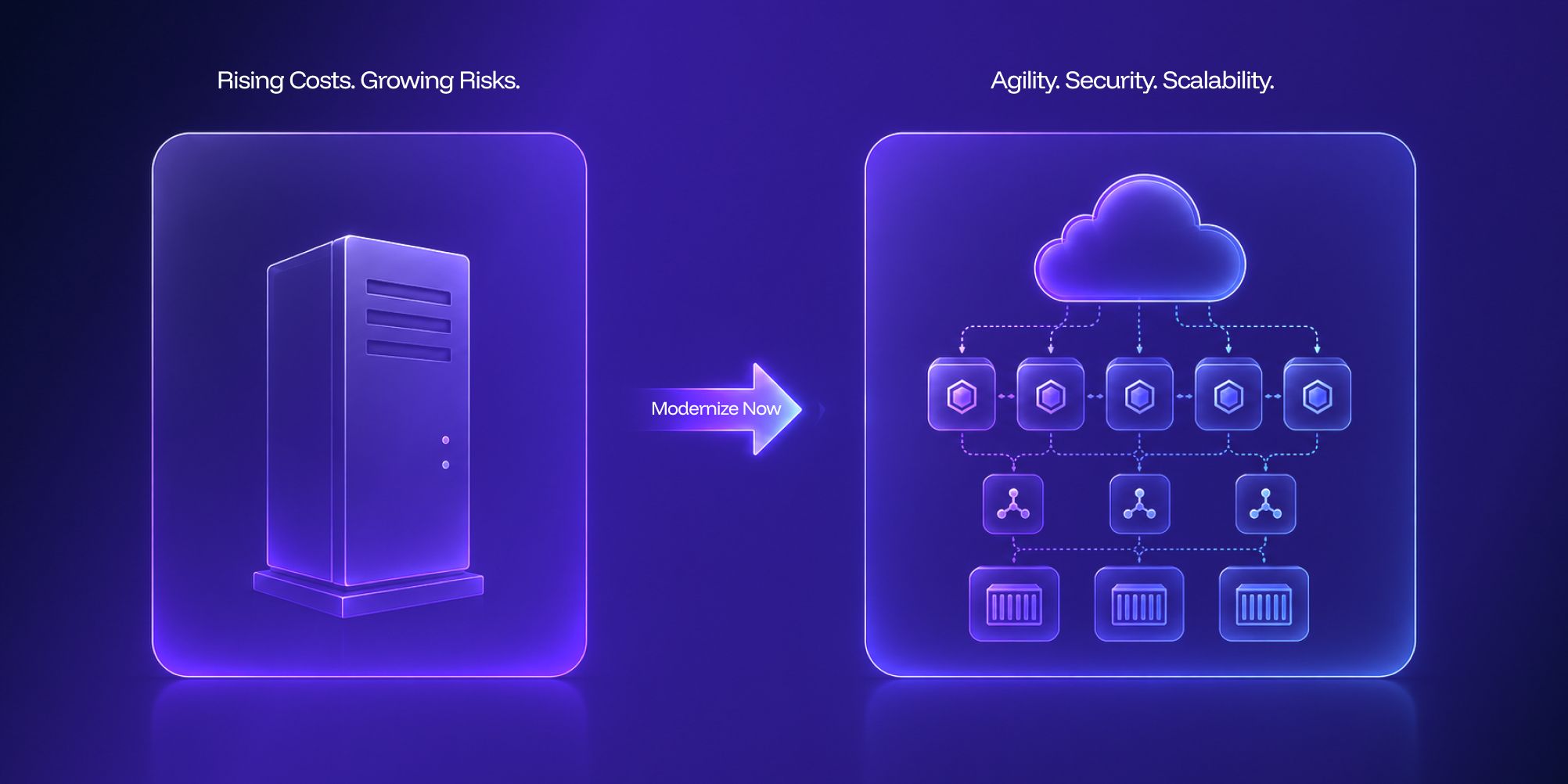
Monolithic systems depend on a single server; whereas cloud-native systems spread workload across multiple servers. This makes it easy to scale and maintain.
In addition to that, modern cloud systems automatically adjust power based on load. Even if one server crashes, another one automatically takes over. This way your app never goes down.
Here are a few common approaches:
Microservices Architecture
This method breaks down a large application into small services. Though connected, these services are independent.
For example, let’s say an application has features such as a product catalog, order management, payments, and customer management. Each of these will operate as an independent service. That means, even if the payment service goes down, your customers can still browse the product catalog and add items to cart.
Each service operates independently and can be scaled based on demand.
If thousands of users access a service at a time, only that service will need additional resources, not the entire application.
Containers
Containerization packages applications and their dependencies into lightweight, portable units called containers.
Since a container has its application and all necessary files together, it ensures the app runs smoothly in any environment. Whether it is development, testing, or production.
Popular container technologies include Docker and container orchestration platforms.
Kubernetes
As applications grow, managing thousands of containers become complicated.
Kubernetes automates deployment, scaling, load balancing, and resource allocations.
It helps manage cloud-native applications efficiently while maintaining high availability.
APIs
API-first architecture lets various applications and services communicate seamlessly.
APIs make it easy to integrate internal systems, third-party platforms, mobile applications, and cloud services.
Legacy Modernization Strategies
Choosing the right modernization strategy depends on business goals, application complexity, budget, and risk tolerance.
Here are a few:
1. Rehosting
Moving the application to the cloud with minimal code modifications.
2. Refactoring
Modifying parts of the application to improve performance and cloud compatibility.
3. Replatforming
Upgrading underlying technologies while keeping core business functionality intact.
4. Re-architecting
Redesigning the application using cloud-native principles such as microservices and APIs.
5. Rebuilding
Developing a new application from scratch while replicating business functionality.
Organizations often combine multiple approaches as part of a broader legacy system modernization strategy.
Now let’s see what a successful modernization strategy looks like.
Step-by-Step Modernization Roadmap
An application modernization roadmap has the following phases:
- Assessing the Existing System
First step is to analyse the source code of the existing system. Then, review the architecture, find out dependencies, identify databases, vulnerabilities, and technical debt.
This assessment helps figure out the complexity and priorities.
2. Understanding Business Goals
Next step is identifying the desired outcomes. Ensure what the focus is– if it is improved scalability, faster deployment cycles, better user experience, cost reduction, or security improvements.
3. Creating an Enhancement Roadmap
Create a detailed plan for modernization requirements. Execute in phases to reduce downtime. Figure out which features generate high profit and user satisfaction. Work on specific modernization goals and track your progress.
4. Building Cloud-Native Foundations
Establish cloud infrastructure, container platforms, CI/CD pipelines, monitoring systems, and security controls.
5. Modernizing Incrementally
Rather than replacing everything at once, modernize components gradually. This reduces risk while allowing continuous business operations.
6. Validate and Optimize
Conduct performance testing, security reviews, and user acceptance testing to ensure modernization goals are achieved.
How AI Is Accelerating Legacy Modernization
Imagine teams analysing millions of lines of legacy code manually. This process will be time-consuming, expensive, and error-prone.
Today, AI is transforming how organizations approach legacy transformation.
It helps easily find all the software, data, and hardware your system uses. Analyses system dependencies, creates documentation, and provides a reliable plan for safe migration.
One example is Expeed's LegacyBridge framework.
Instead of just relying on AI-generated code, LegacyBridge uses a structured workflow to understand the legacy application before modernization begins.
The process includes:
1. Analysing source code mathematically.
2. Converting code into a Universal Abstract Syntax Tree (UAST).
3. Validating UAST accuracy through scoring mechanisms.
4. Generating modernization-ready documentation and requirements.
5. Identifying technical debt, dead code, database structures, and security risks.
6. Creating modernization-ready PRDs for stakeholder validation.
This approach reduces hallucination risks commonly associated with direct AI code generation while preserving business functionality.
AI also helps quickly find all the systems running in your application. So, you get a clear picture of exactly what you have. It also supports documentation and shows dependency mapping so you know what breaks if you change something.
Worried about technical debt? AI easily finds outdated code, helps you fix it, saving from future headaches.
It also acts as a smart planner, suggesting fastest and safest ways to transfer your data to cloud platforms.
The result is faster, more predictable modernization outcomes.
How Expeed Helps Enterprises Modernize Legacy Systems
Modernizing mission-critical applications needs more than technology expertise. It requires a deep understanding of business processes. Also, experience in managing potential risks and smoothly guide users through changes.
Expeed helps organizations modernize legacy systems through a structured, AI-assisted transformation approach.
LegacyBridge helps enterprises:
- Analyze existing source code accurately
- Preserve critical business functionality
- Identify hidden technical debt
- Generate modernization-ready requirements
- Validate modernization scope before development begins
- Migrate to modern technologies such as React, Angular, Java, and Hibernate
- Adopt cloud-native architectures with confidence
Rather than rebuilding applications from scratch, organizations can transform existing investments into scalable, secure, and future-ready platforms.
Whether the goal is cloud migration, microservices adoption, improved user experience, or operational scalability, Expeed provides a practical path toward successful modernization.
The Truth about Modernization
Modernization isn’t just about renovating legacy applications. You’re offering high-quality service to your customers. You are building customer trust. To provide a seamless user experience, your application should be fast-responsive and flexible.
Not adapting to growing business needs means you’re failing to attract new customers.
Want to reduce technical debt and make your app easy to scale? Follow a well-defined cloud-native application modernization strategy.
Expand your reach worldwide through legacy application modernization.
With the right modernization roadmap, you can confidently move from legacy constraints to cloud-native agility.
FAQs
How to modernize legacy applications for cloud?
First, evaluate the existing application. Identify business goals and create a modernization plan. Gradually migrate components to cloud-native technologies such as containers, microservices, and APIs.
How to reduce technical debt in legacy systems?
A few ways to reduce technical debt are: code refactoring, removing dead code, and upgrading old frameworks. Other ways include automating testing and upgrading servers, cloud platforms, or hardware.
What are the key technologies used in cloud-native modernization?
These include React, Angular, Java, Spring Boot, Hibernate, Docker, Kubernetes, REST APIs, GraphQL, cloud platforms, CI/CD pipelines, and observability tools.
How much does it cost to modernize a legacy application?
It depends mainly on factors like application complexity, code quality, architecture, and business requirements. Small projects may cost a few thousand dollars. Large-scale projects require a multi-phased approach.
How long does it take to modernize a legacy application?
Upon signing an NDA, we assess your existing system and share a free verification report with the identified issues in 4-5 days. Once you review and approve, modernization takes only 3-5 weeks.